
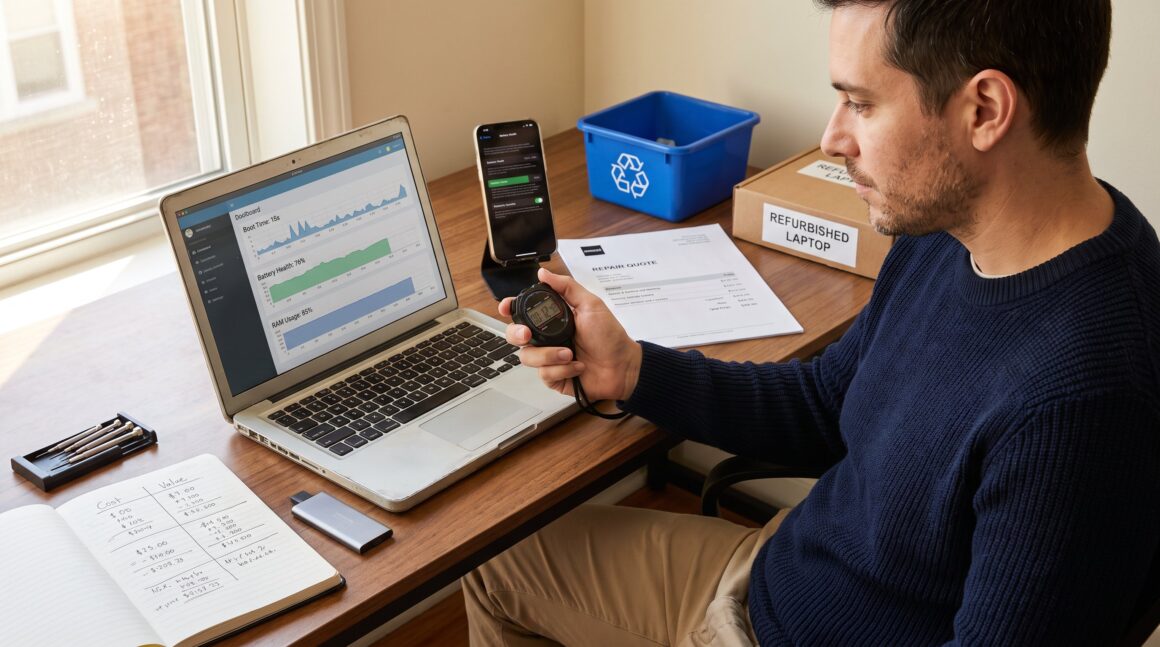
Device upgrade decisions start with a clear, measurable question: is the current device failing to do the work it must do? How to Decide Whether a Device Upgrade Is Worth It appears here to give a practical, low‑regret path. The guide focuses on performance, cost and value, timing, and greener choices. It prioritizes concrete tests and simple math so readers can stop guessing and make a confident call within an hour.
Key Takeaways
- Evaluate your device’s real performance with concrete tests like boot time and battery health to identify measurable issues before deciding on an upgrade.
- Compare the total cost of upgrading versus repairing by factoring in direct expenses, lost productivity time, and environmental impact for a well-rounded decision.
- Consider practical and cheaper alternatives such as OS resets, battery replacements, and hardware upgrades to extend device life and delay replacement.
- Timing your device purchase around market cycles and resale windows can maximize value and reduce net upgrade costs.
- Choose repairs or refurbished devices when feasible to minimize e-waste and environmental footprint while still meeting performance needs.
- Make upgrade decisions only when your device regularly fails key tasks, repair costs approach replacement costs, and a new device offers clear, sustained value.
Step 1: Evaluate How Your Device Is Actually Performing
Answer first: test the device against real tasks it must complete. If it fails those tasks consistently, it’s performing poorly and likely needs action.
Quick Diagnostic Checklist: What To Test And Measure
Start by running five focused checks and record numbers.
- Speed and responsiveness: Time a cold boot, an app launch, and a file export. If boot time is >60 seconds, app launches take >10 seconds, or exports slow workflows by >30%, that’s a measurable bottleneck. Write the times down: they make the cost calculation objective.
- Battery health: Use the device battery report or built‑in diagnostics. If capacity is below 80% or the device shuts down at 30–40% displayed charge, the battery is a reliability risk.
- Storage and memory: Note free storage and average RAM usage while doing typical tasks. If storage is under 10% free or RAM regularly hits 90–100%, the device limits work.
- Software support and security: Check the OS version and vendor support page. No security updates for your OS or apps is a direct long‑term risk to data and compatibility.
- Repair status: Get a repair quote for any failing component. If a motherboard or screen repair costs more than 40–50% of a new device’s price, the balance tips toward replacement.
Concrete example: a freelancer timed a laptop boot at 92 seconds and lost 45 minutes weekly waiting on exports. That translated to 3 hours monthly, a clear productivity cost.
Why these tests matter: numbers turn feelings into evidence. With the checklist, readers can decide based on minutes lost, percent battery capacity, or repair quotes instead of vague frustration.
Step 2: Weigh Cost Versus Value — Money, Time And The Environment
Answer first: compare total cost (purchase or repair) to quantifiable value (time saved, income preserved, and environmental cost avoided). This is a three‑line calculation: direct money, time value, and e‑waste impact.
Direct financial cost
- Add the new device price, trade‑in credit, and any setup or software migration fees. Compare that to the repair or component upgrade cost (battery, SSD, RAM). If a new device costs twice a repair that restores 80% of performance, repair is likely better economically.
Productivity and time
- Put an hourly value on lost time. For instance, someone billing $50/hour who loses 3 hours monthly to slowdowns incurs $150/month. Over a year, that’s $1,800, enough to justify a midrange upgrade.
Environmental impact
- Fact: global e‑waste totaled about 62 million tonnes in 2022, and only 22.3% was properly recycled. Discarding a device adds to hazardous waste and loses recoverable metals. Choosing repair, refurbished devices, or models with stronger recycling programs reduces this cost. A practical choice: if a repair restores service for under 25% of the new device cost and extends life by two years, the environmental benefit is real.
Practical example: a small business compared replacing 10 laptops versus replacing batteries and upgrading to SSDs. The latter cost 35% of replacement and saved the equivalent of 120 device‑years of material extraction when spread across extended service life.
External evidence: realistic device lifespans affect this math: recent reporting on smartphone longevity helps calibrate when repair makes sense, especially for phones. For claims about smartphone lifespan, consult a current industry explainer on that topic from a trusted reviewer to match expectations. smartphone lifespan guide
Linking to cluster resources
For readers who want deeper skillsets for comparing feature lists and avoiding hype, related pieces cover those exact steps. See the practical comparison checklist for gadget specs in the Techidemics cluster and guidance on staying current without chasing every new release: links below illustrate how to weigh specs versus real need.
Step 3: Consider Timing And Practical Alternatives To Replacing
Answer first: often a cheaper, timed choice is better than immediate replacement. Try validated interventions before you buy.
Cheaper interventions that often fix the problem
- OS reset and cleanup: A clean install clears cruft that slows devices. If a device’s performance improves by 30–60% after reset, replacement can wait.
- Battery swap: Replacing a phone or laptop battery typically costs 10–20% of a new device and restores usable life.
- SSD or RAM upgrade: For older laptops, an SSD swap drops load times dramatically (booting in 10–20 seconds) and often delivers the biggest perceived speed improvement per dollar.
- Professional repair: For single‑component failures, a certified repair can be cost‑effective compared with full replacement.
Timing and market considerations
- Model cycles: If a major vendor announces a refresh in 1–3 months, waiting can mean a 10–25% price drop on current models or better specs for the same money.
- Trade‑in and resale windows: Selling now may fetch a higher resale value than later: that resale value reduces net replacement cost.
Used and refurbished options
- Refurbished machines from reputable sellers often include a warranty and cost 20–40% less than new. This reduces purchase cost and lowers e‑waste footprint.
Practical scenario: a graphic designer with a four‑year laptop found that swapping to an SSD and adding 16 GB RAM for $220 cut rendering time by 40% and bought 2.5 more years of effective life. The upfront cost was one‑quarter of a new machine, and resale value later covered part of replacement.
Linking to cluster resources
Readers who want a disciplined way to compare specs should consult the site’s guide to comparing gadgets beyond headline numbers. That piece provides step‑by‑step spec comparisons and real‑world benchmarks that make timing and upgrade choices clearer: compare gadgets checklist.
Also, to avoid chasing every new release and reduce regret, the site’s advice on following trends without hype helps set upgrade cadence: trend avoidance guide.
Conclusion: Make A Confident, Low-Regret Decision Based On Needs And Value
Answer first: upgrade only when measurable needs, economics, and environmental costs line up.
Decide to upgrade if these three conditions hold: the device fails core tasks regularly, repairs or upgrades cost close to or more than replacement, and the new device provides sustained value that justifies its footprint. If one condition fails, prefer repair, a refurbished purchase, or a timed wait.
A final practical tip: document the diagnostic numbers, repair quotes, and estimated time savings in a one‑page comparison. That paper replaces second‑guessing with a low‑regret, evidence‑based choice.
For broader context and tools used in this guide, readers can reference the site’s core overview of technology and gadgets to align upgrade decisions with longer learning pathways and product research: site overview.