AI-driven design platforms are fully changing the way small business owners create logos, making it easier than ever. You no longer need to be a pro at complex design software or navigate through complex design features. Instead, you can generate a logo through a straightforward, guided process.
Most of these tools simply ask for some basic info, a few questions, or your style preferences, and then they take your input to generate a variety of design options.
To really see how user-friendly these platforms are, we decided to put several of them to the test ourselves. Our mission? To discover just how easily someone with no design background could craft a logo and to explore the journey from the initial setup all the way to the final design.
TL;DR
- Best for template variety: Design.com – Over 500,000 templates and AI chat editing, plans from $5 to $7 a month.
- Best for flexible editing: BrandCrowd – More than 380,000 templates with similar AI editing tools
- Best for free basics: FreeLogoDesign – 35+ categories, free low-resolution download
- Best for AI-generated branding: Brandmark.io – generates a complete brand kit around the logo.
A Step-by-Step Review of Logo Makers for Non-Designers
|
Tools |
Overall Experience |
Supported File Formats |
Pricing Plans |
Trustpilot Rating |
|
Design.com |
|
SVG, EPS, PDF, PNG, JPG, GIF, MP4. |
|
4.7 |
|
BrandCrowd |
|
SVG, EPS, PDF, PNG, JPG, GIF, MP4. |
|
4.7 |
|
FreeLogoDesign |
|
PDF, SVG, PNG |
|
3.1 |
|
Brandmark.io |
|
PNG, SVG, PDF |
Starts at $35, a one-time payment for a single logo in PNG format |
2.6 |
Design.com
Design.com is an AI-powered logo-making and branding platform. It helps everyone, from professionals to non-designers with no prior design experience, create everything necessary for brand development. Thanks to its extensive library of over 500,000 logo templates designed by professional designers, users can create high-quality, creative logo designs in just a few minutes. And these logos are 100% commercially safe to use.
Apart from logo creation, Design.com also makes it possible to build websites, create posters, flyers, email signatures, business cards, social media campaign materials, and many other design and branding items.
- Logo Making
To show you why Design.com is a beginner-friendly solution, we have tested its logo maker step by step and created an example logo for a construction company.
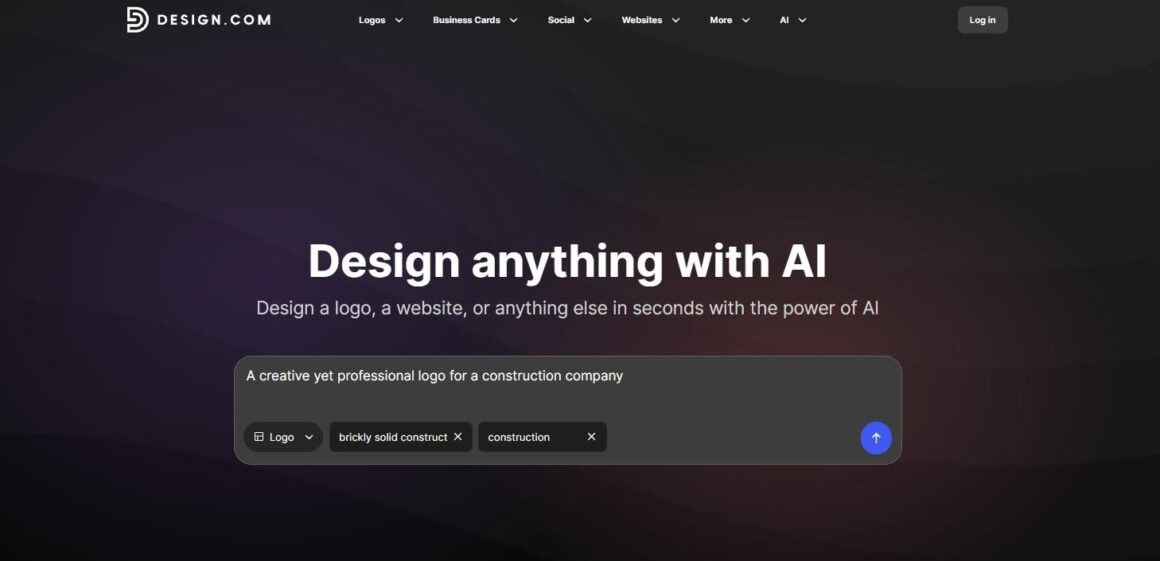
- Step 1: On Design.com’s homepage, you’ll find a handy description box where you can share details about the logo you have in mind. There’s also a dropdown menu to select the type of design asset you want (logo, in this case) and a space to input your business name along with some key keywords. This initial info is what the platform uses to create your logo.
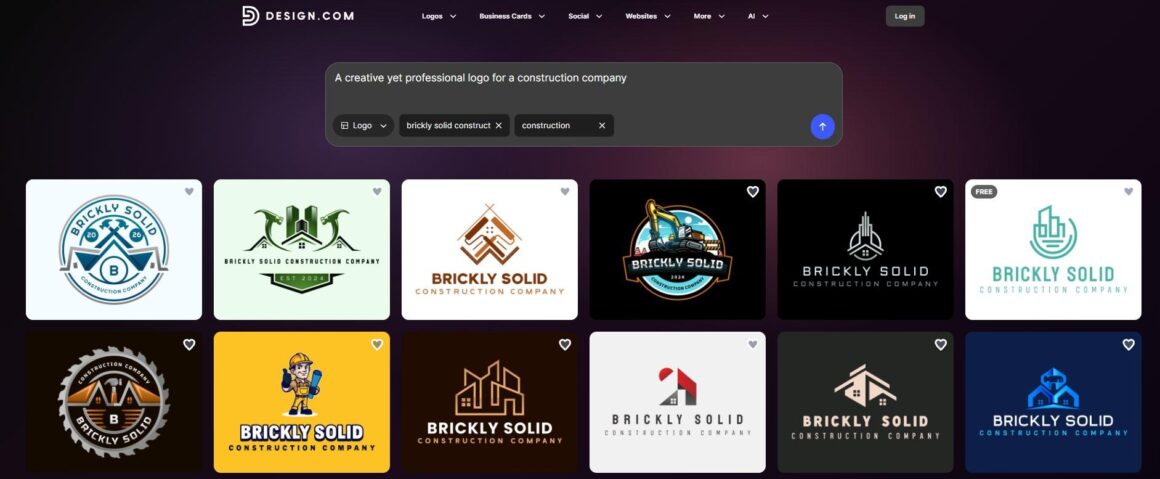
- Step 2: Based on the information we provided, the platform generated more than 10,000 logo templates, all unique in design and tailored to our industry and keywords.
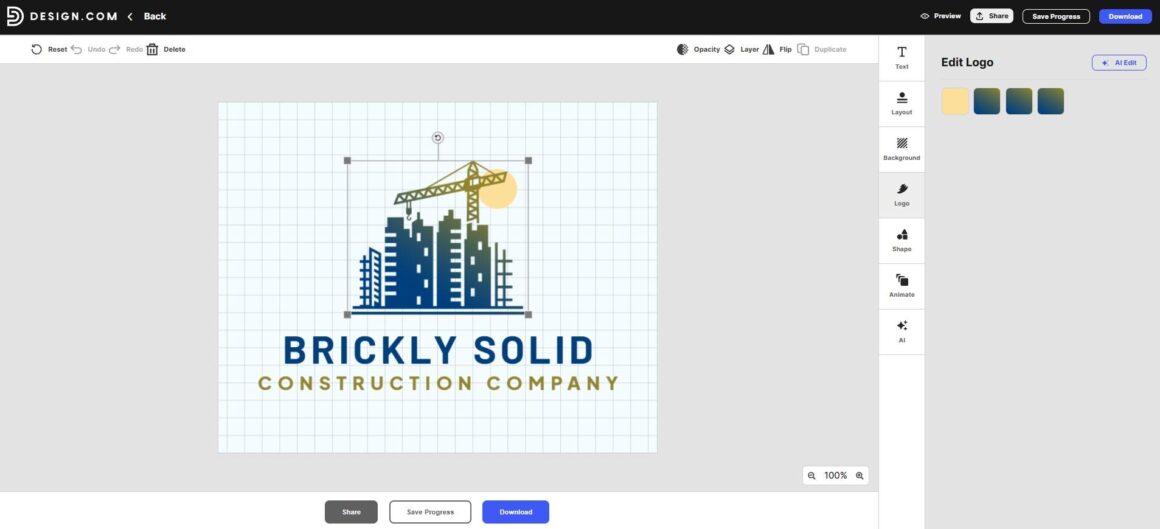
- Step 3: You can customize each of the logos to fit your needs. If you want to change text colors, background shades, shapes, layouts, or any other details, just use the editing dashboard.
For more specific changes, there’s even a handy AI chat feature where you can request adjustments to your logo and get results in just seconds. For instance, we asked it to add a couple of human worker icons to our logo, and it not only delivered the changes but also provided a detailed explanation of how our request was executed.
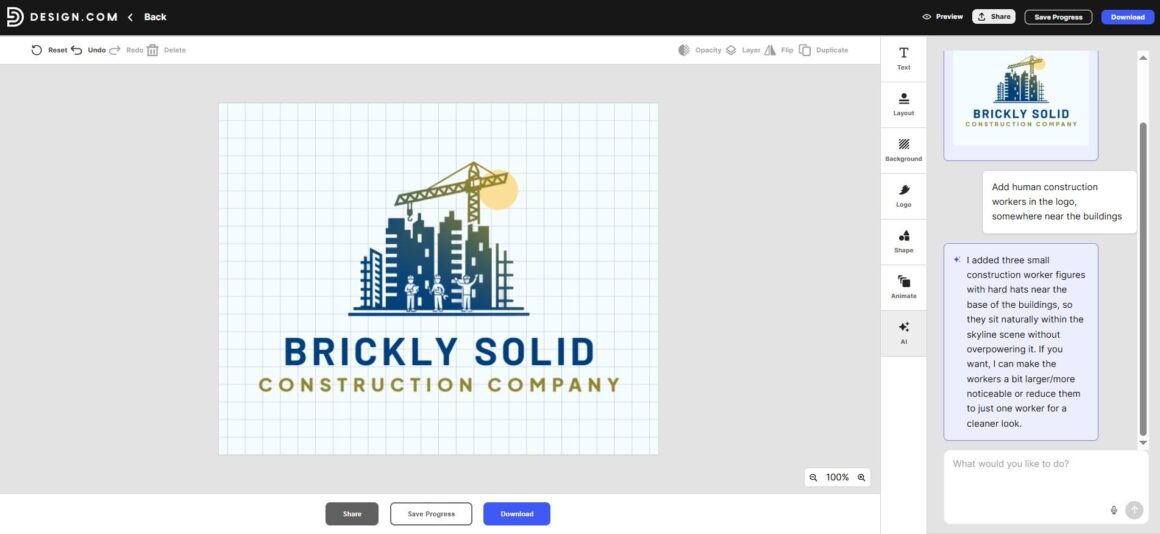
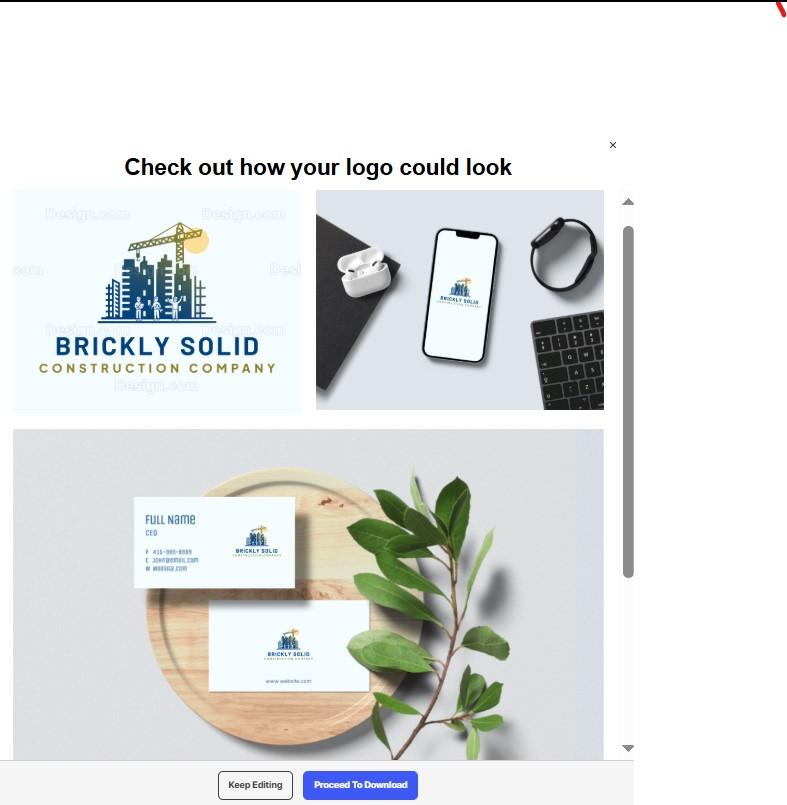
- Step 4: Once you’ve wrapped up your edits but aren’t quite ready to download your logo just yet, you can easily save it to your account for later edits or exports. Plus, you have the option to preview your logo, giving you a sneak peek of how it will appear in print or when it goes live!
Download and Pricing Plans
Design.com provides a variety of free design options, including logos, business cards, websites, and more.
When you download a free logo, you also get access to several free tools, including a website builder, link-in-bio creator, and digital business card maker. These tools can be published online at no cost.
The paid plans are as follows:
- Starter (Logo Pack): $5 per month billed annually
- Value (Logo Pack + Website): $6 per month billed annually
- Premium (Logo Pack + Website + More): $7 per month billed annually
It supports various file format download options, including SVG, EPS, PDF, PNG, JPG, GIF, and MP4.
A free logo also unlocks access to more than 50 additional design tools for creating assets such as business cards, social media posts, flyers, posters, and more. Keep in mind that while you can create these designs for free, downloading them requires a premium subscription.
BrandCrowd
BrandCrowd is a practical solution for creating customizable logos for any industry or purpose. With more than 380,000 logo templates to choose from, it makes it easy for non-designers to create a logo for their business in no time.
- Logo Making
BrandCrowd follows the same 3 to 4 easy logo-making steps, with only a handful of information needed on your end to be filled in. The rest is a matter of creativity and the tool’s capabilities.
- Step 1: The fastest way to begin is to navigate to the “Logo Maker” section on the website’s homepage and find your industry. Since our example business represents the Construction industry, that is what we picked to move on.
- Step 2: Next, after finding your industry, enter your business name. The tool will auto-fill the key keywords based on your chosen industry and business name and will suggest over 9000 logo templates to choose from.
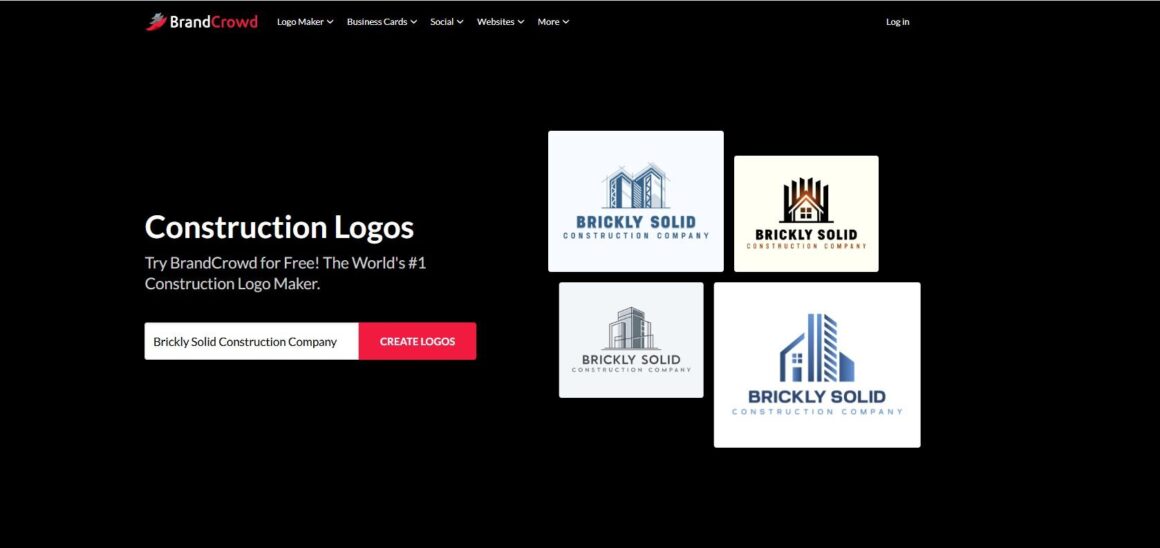
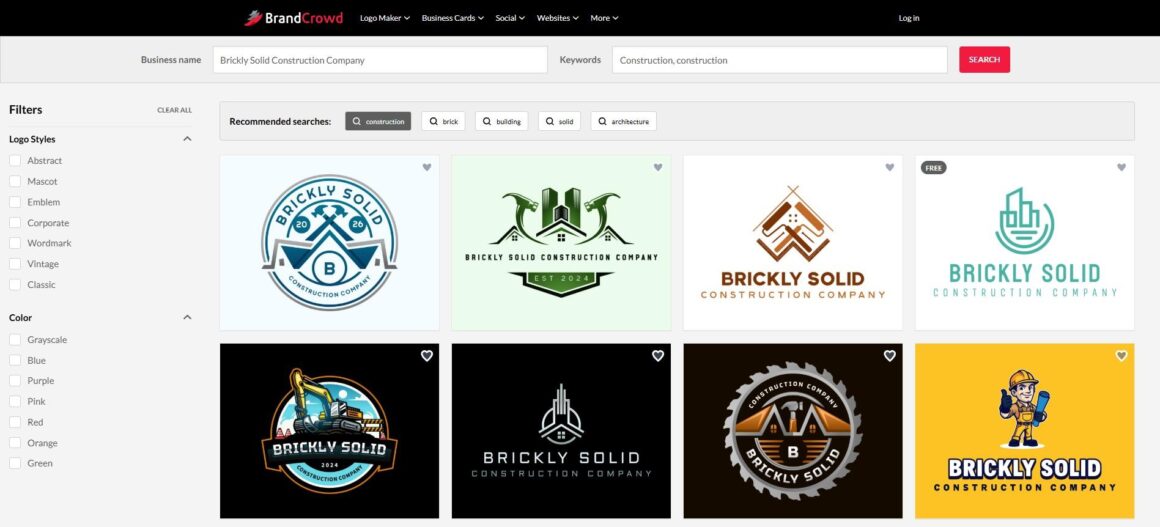
You can filter them by logo styles, colors, or recommended searches to find your favorite logo faster.
- Step 3: The editing dashboard offers the same flexibility as Design.com, allowing you to customize everything from text and layouts to backgrounds and shapes. We also noticed that BrandCrowd provides an AI-assisted chatbox for more specific requests, making it easier to create more unique and personalized logos.
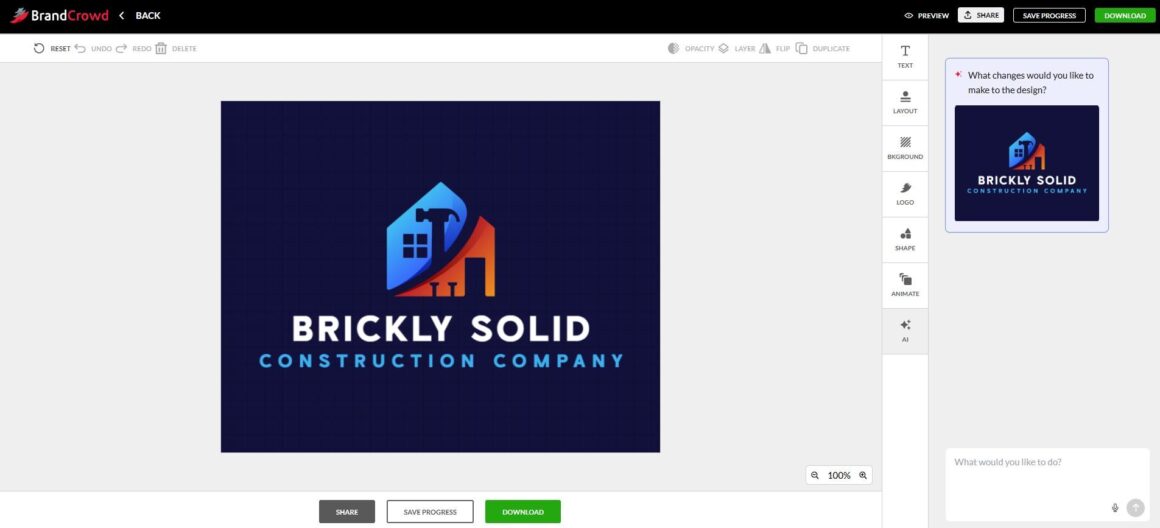
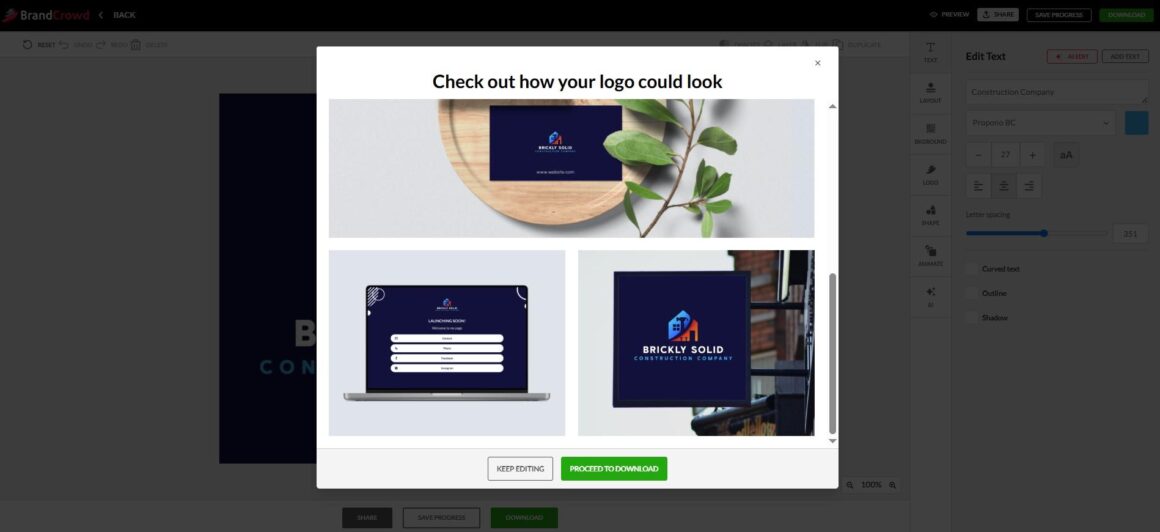
- Step 4: The final step is to either save your progress, preview your logo on other branding or campaign assets, or proceed to download your logo.
Download and Pricing Plans
BrandCrowd offers a wide range of free design options, including logos, business cards, websites, and so much more.
When you download a free logo, you also unlock a suite of handy tools, like a website builder, a link-in-bio creator, and a digital business card maker. Best of all, you can publish the designs you create with these tools at no cost!
BrandCrowd supports various file format download options, including SVG, EPS, PDF, PNG, JPG, GIF, and MP4.
Plus, getting a free logo opens the door to over 50 design tools that let you create everything from business cards and social media posts to flyers and posters. While using these tools is free, note that downloading your creations will require a premium subscription.
Here are BrandCrowd’s paid plans:
- Starter (Logo + 50 Design Tools): $5 per month billed annually
- Value (Logo + 50 Design Tools + Website): $6 per month billed annually
- Premium (Logo + 50 Design Tools + Website + More): $7 per month billed annually
FreeLogoDesign
FreeLogoDesign is a free online logo maker that lets anyone, even without design skills, build a professional logo in minutes. It offers 35+ logo categories so users don’t have to start from scratch.
- Logo Making
FreeLogoDesign works on the simple pick-browse-customize model. Here are the steps we tested for creating a logo with the tool.
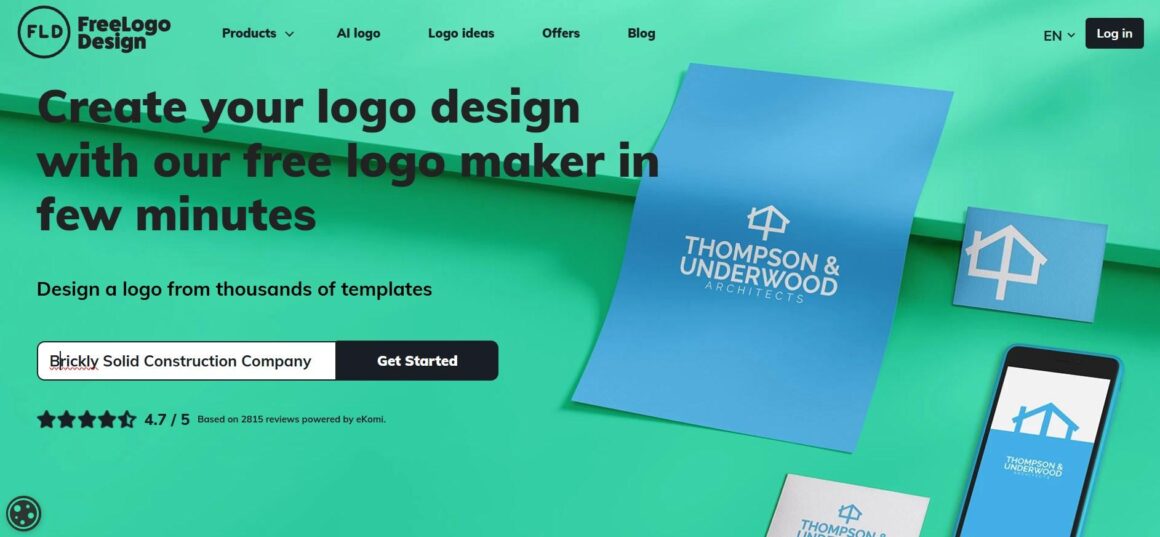
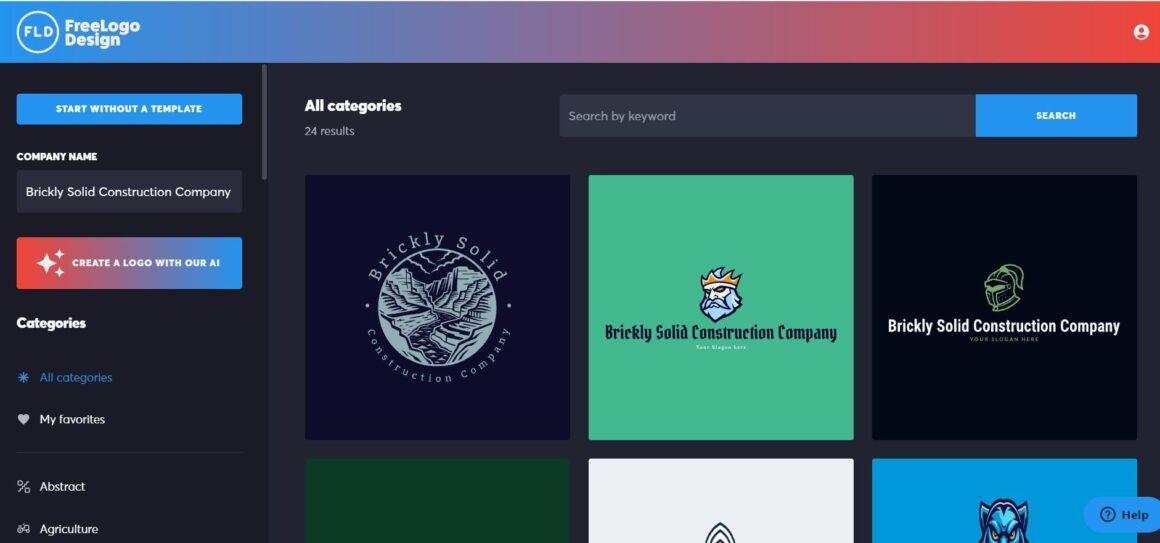
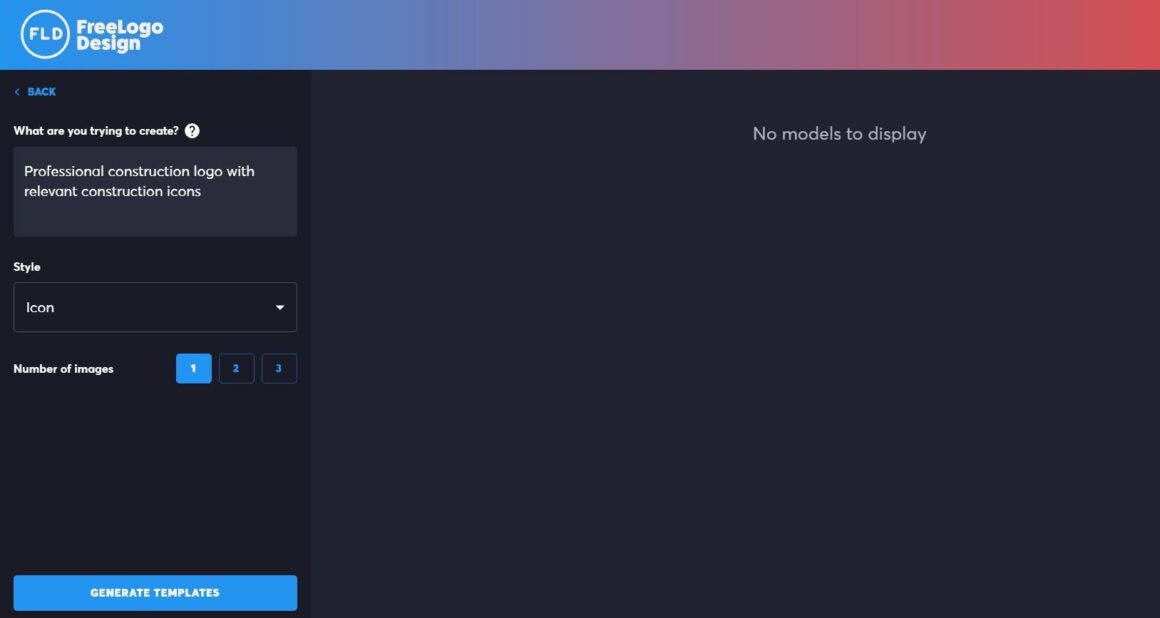
- Step 1: Here, too, the very first step included writing down our business name on the website homepage. After clicking on the “Get started” button, we were offered several initial logo designs. There was also a list of industry categories on the left side to choose from. After picking any of the industries (Construction and Tools, in our case), the logos were automatically tailored to that specific industry.
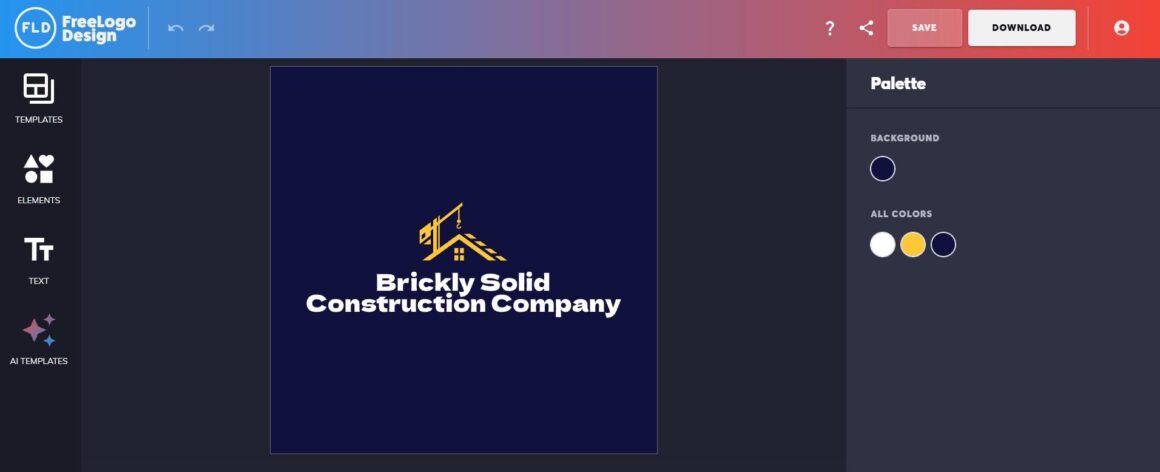
- Step 2: After picking our preferred logo option, we moved on to editing it. The customization features allowed us to adjust the background color, icons, and text. The platform also has a built-in AI template generation feature, which is only available through paid AI tokens.
Download and Pricing Plans
You can either save your logo to your account or download it for free as a low-resolution PNG file (200 × 200 px). For higher-resolution and vector files, pricing starts at $44.99.
FreeLogoDesign supports several export file formats, including PDF, SVG, and PNG.
Brandmark.io
Brandmark.io is an AI-powered logo maker that builds a full brand identity in minutes. It uses generative AI with handcrafted fonts and templates to create logos, then bundles them with business cards, social media graphics, a one-page website, and more. All these assets are editable and exportable right in the browser.
- Logo Making
Finally, we have tested Brandmark.io’s logo maker and presented the results below:
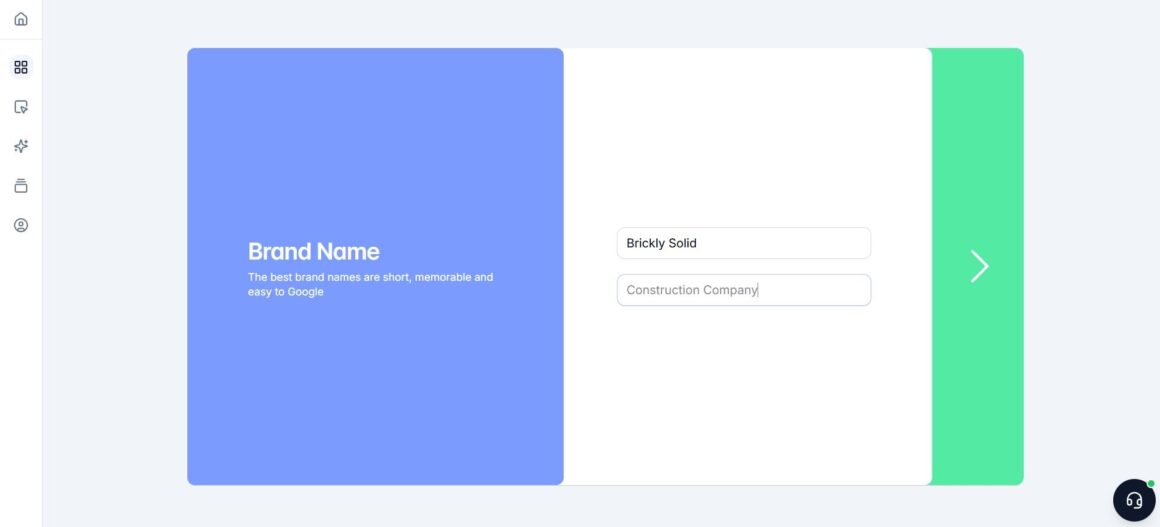
- Step 1: Like in the previous tool, you begin by entering your business name first. If you have a slogan, you can also include it.
- Step 2: Next, you will be required to enter your industry keywords and choose a preferred color style to generate a tailored logo.
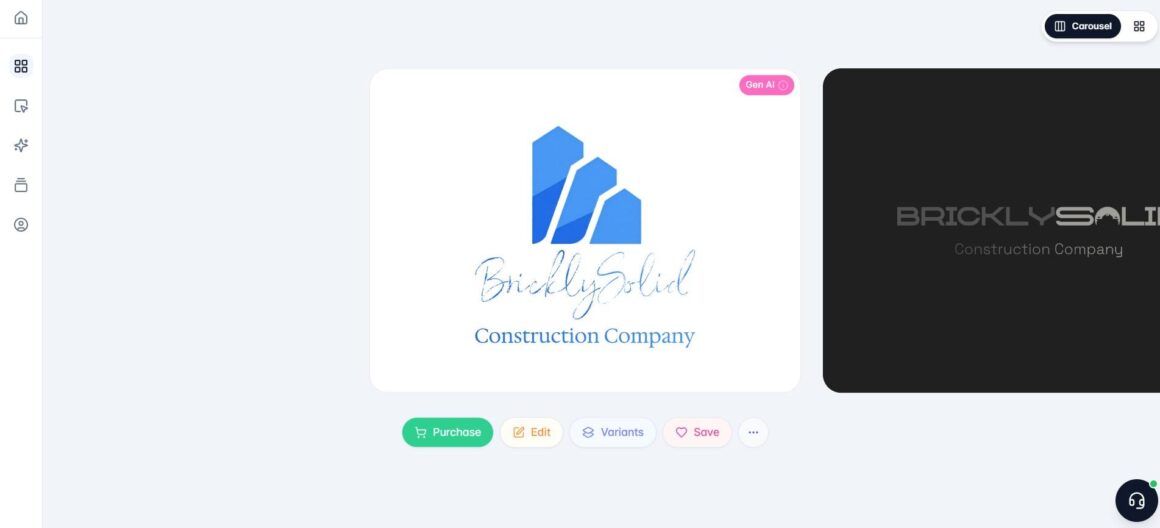
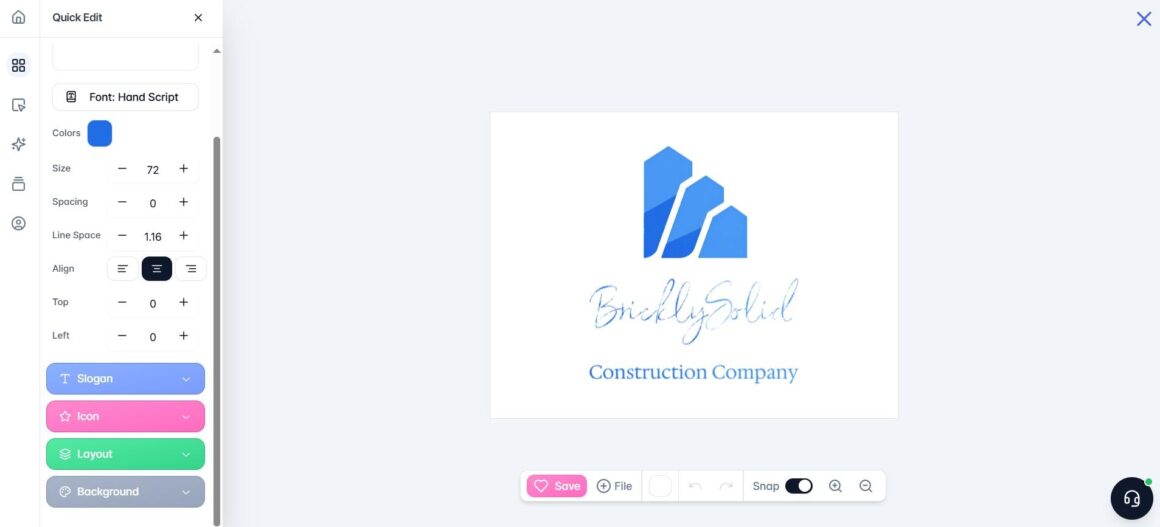
- Step 3: Once done, the platform will generate a few initial options ready for further editing work. Pick the one that you like most and turn to editing everything from colors and text to icons, layouts, and backgrounds.
Download and Pricing Plans
The final step is either saving your logo to your account or purchasing it. Brandmark.io offers logo downloads starting at $35, which is a one-time payment for a single logo in PNG format.
The Logo + Brand Kit package costs $95 as a one-time payment and includes vector design files, along with other branding materials such as business card designs.
Brandmark.io supports several file formats, including PNG, SVG, and PDF.
Our Final Verdict
This was our personal experience, so yours might vary. We suggest giving these tools a try yourself to discover which logo maker suits you best.
From what we found, Design.com and BrandCrowd stand out as some of the easiest options to navigate. They both offer a simple process that involves just a few steps, like entering your business name and some relevant keywords. The instructions are clear and easy to follow, with no complicated design tasks to worry about.
FreeLogoDesign provides a quick and straightforward logo-making experience. The platform is user-friendly and performed well during our tests, with no noticeable delays. However, the logo templates available are somewhat basic and offer limited customization options.
And finally, Brandmark.io also delivers a user-friendly platform with a smooth process and a more personalized touch. That said, some of the designs it generated felt a bit generic and needed extra editing to get the look we wanted.